v5.3 — Debian bookworm base, x86_64

A distro that keeps its
tools up to date, itself.

SageOS is a lean, Debian-based security distro built around mission packs — curated tool categories you install with one command. No bloated base image, no full reinstall just to get an update.

sage@sageos: ~
$ sage-pkg install web
  Fetching feroxbuster from epi052/feroxbuster...
  installed feroxbuster
Done. 'Web Application Testing' tools are ready to use.

$ sage-pkg update
# checks the catalog, batches apt upgrades, re-fetches GitHub
# binaries, upgrades pip tools — and updates sage-pkg itself, live
Catalog updated to v1.1 — 1 new tool. sage-pkg is up to date.
Why SageOS

Built around one idea: stay lean, update forever

Most security distros ship everything up front and go stale the day you burn the ISO. SageOS ships almost nothing by default — and every mission pack, and the tool that manages them, updates itself over the network.

📦

Mission packs

Tools are grouped into categories — networking, web app testing, forensics, and more — installed on demand with sage-pkg install <pack>, not baked into a bloated base image.

🔀

One manager, three sources

sage-pkg pulls from apt, GitHub releases, and pip through a single interface — and lets any tool override its install method with a simple @apt/@fetch/@pip tag.

♻️

Self-updating, no reinstall

sage-pkg update batch-upgrades everything you've installed — apt in one call, fresh binaries re-fetched, pip packages bumped — and updates sage-pkg's own code from GitHub in the process.

🗂️

Live package catalog

The full tool catalog is versioned and published on its own page with a real changelog — see exactly what changed between catalog versions, no digging through commits.

⚙️

OpenRC, not systemd

Boots on OpenRC's dependency-based service management for a fast, predictable startup — mission packs that pull in systemd as a side dependency get automatically corrected back.

🖥️

Terminal-first, GUI optional

The base ISO is terminal-only by design. Want a desktop? sage-pkg install xfce — or grab the XFCE edition, which boots straight to a graphical login.
The XFCE edition

A real desktop when you want one

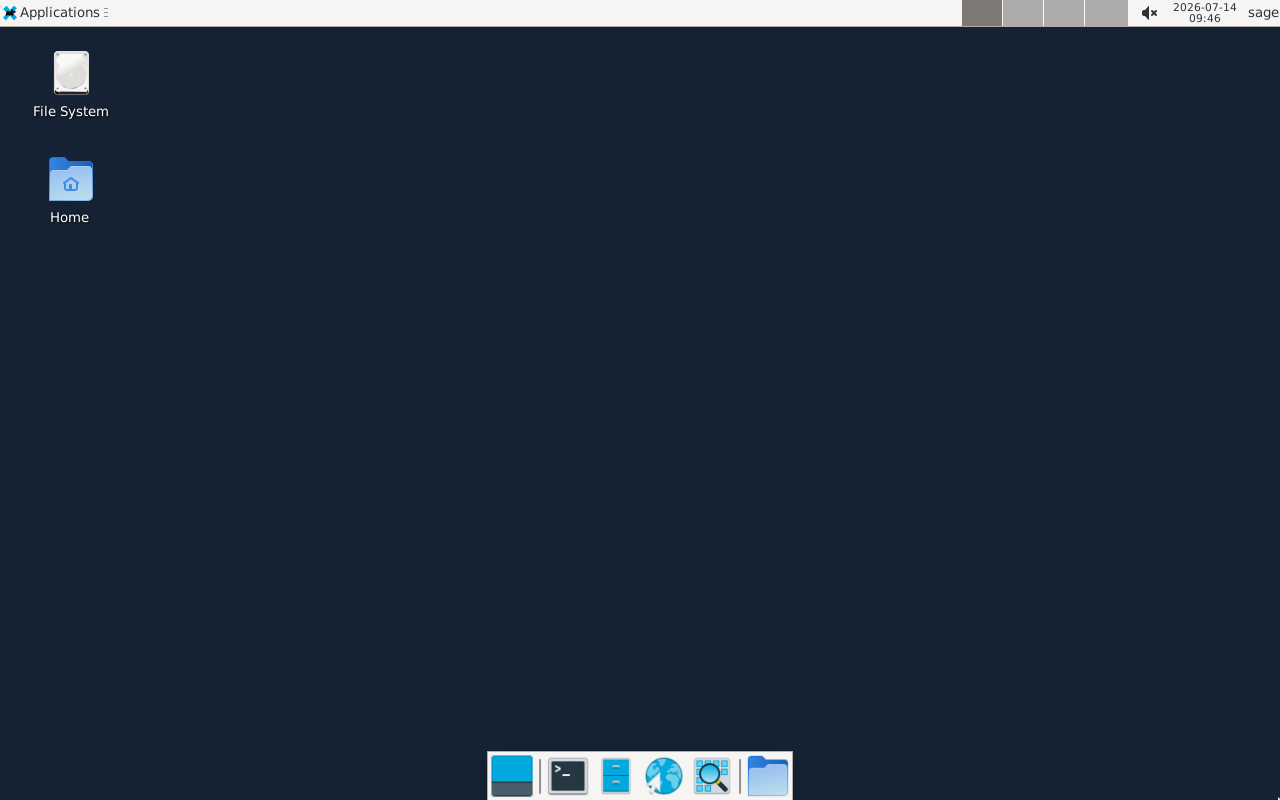
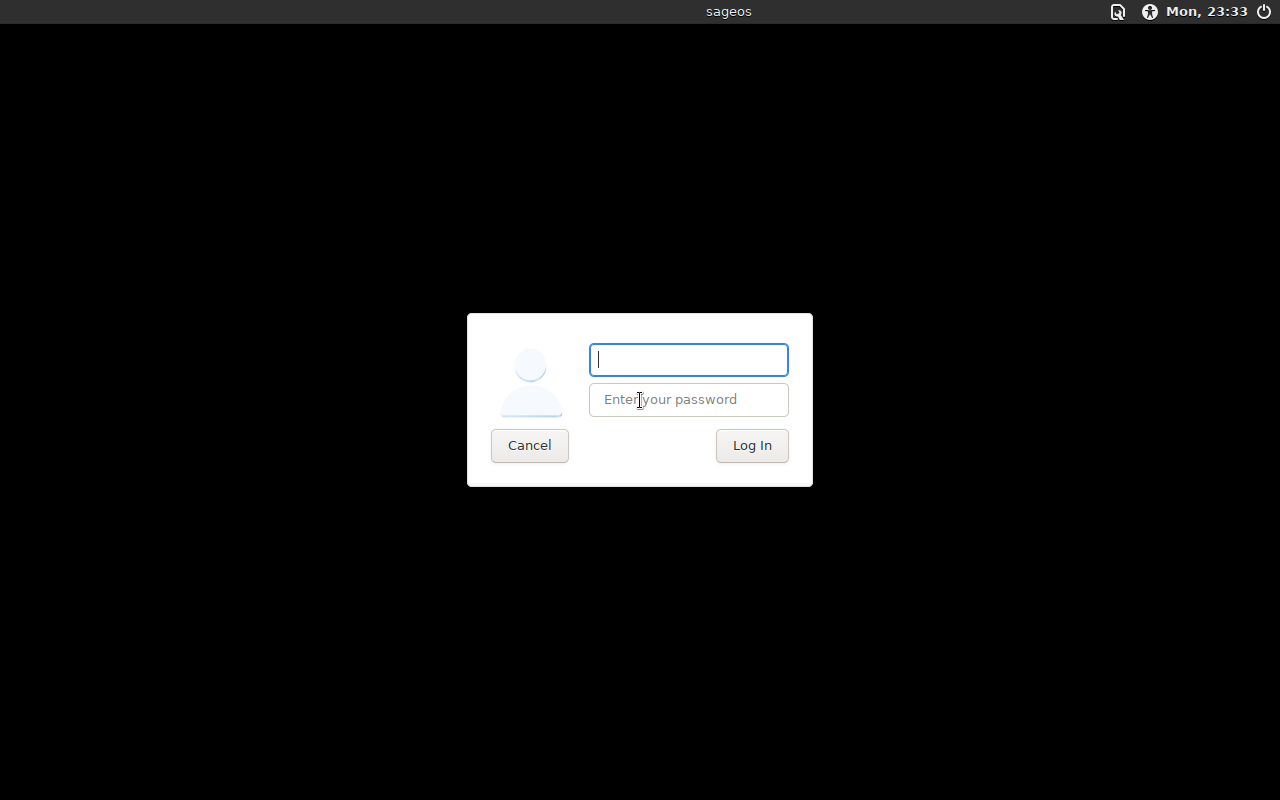
Same base system, same mission packs, with XFCE and lightdm pre-installed. These are actual screenshots from the live build — not stock photos.

SageOS XFCE desktop
XFCE desktop, fully booted — panel, taskbar, file manager
SageOS lightdm greeter
lightdm graphical login
Get it

Two editions, same core

Pick lean if you want to add packs yourself, or XFCE if you want a desktop out of the box. Both support x86_64 only, tested on QEMU and VirtualBox.

Base edition

sageos-5.3.iso

281 MB · terminal-only · add packs with sage-pkg

Default login on both editions: sage / sageos or root / sageos
How it stays fresh

Three commands, that's the whole workflow

01

sage-pkg list

See every mission pack and tool, pulled live from the versioned catalog on GitHub Pages.

02

sage-pkg install <pack>

Installs a whole category — apt packages, GitHub-release binaries, and pip tools — in one shot.

03

sage-pkg update

Upgrades everything installed, refreshes the catalog, and updates sage-pkg itself. No new ISO required.